SCADpro: Gulfstream Aerospace Simulation
"SCAD collaborated with Gulfstream Aerospace to assist in the research and development of concepts to structure, surface, and interact with flight crew content for optimal accomplishment of learning, operating, and diagnosing."
In the Fall 2019 quarter, I had the pleasure of working in a SCADpro collaboration with Gulfstream Aerospace, and I had such an amazing time working with a group of talented individuals on this project. I've learned so much during this collaboration and I ventured into tech art. Learning tech art was a little bit of a challenge since it's something I don't normally do, but I had a lot of fun in learning at least some of the basics, and I will dive into tech art a bit more in the future. I will also further my knowledge in Sequencer and learn more advanced techniques with cameras and fades in the future.
This portion of the project revolves around the Experience team developing content within the Venture System, including various stages of Low-Fidelity and High-Fidelity prototypes, User Interfaces, and a final flight drill simulation video that records the interactions between persona "Katie: Pilot of the Future" and F.E.L.I.X., an AI assistant for the cockpit. My role within the Experience team was to fully render and develop the flight drill simulation within Unreal using basic Blueprinting and Sequencer to compile the working Blueprints, recordings of Katie and F.E.L.I.X., floating objects/textures, and light object fades into a final video.
F.E.L.I.X. voiced by Mike Dorneman
Katie voiced by Colleen Miller
Note: The cockpit model was NOT created by me. The model was bought from DUST on CGTrader. I did fix up the normal map texture intensity in Photoshop to make it seem a little bit more realistic, even though the textures are a little bit outdated (especially the fur and leather textures on the seats).
Simulation Video: Interaction between Katie and F.E.L.I.X.

Cockpit Model in Maya (originally a 3DSMax File, but I exported the file as an FBX from 3DSMax and imported it into Maya from there)

Texture Set Fixing in Photoshop

No Materials on the Model

Material Sets

Material Editor: Adding Constants to Texture Sets

Assigning Materials to the cockpit model

Final Cockpit Model with Textures

Blueprint Actor Viewport

Placement of Blueprint Actors within the Cockpit model (I also used an HDRI for lighting purposes)

Final Cockpit Model with Textures (towards the back)

Pilot Perspective Shot

Pilot Perspective Shot 2

Sequencer Editing/Timing and Blueprint Actor Placement
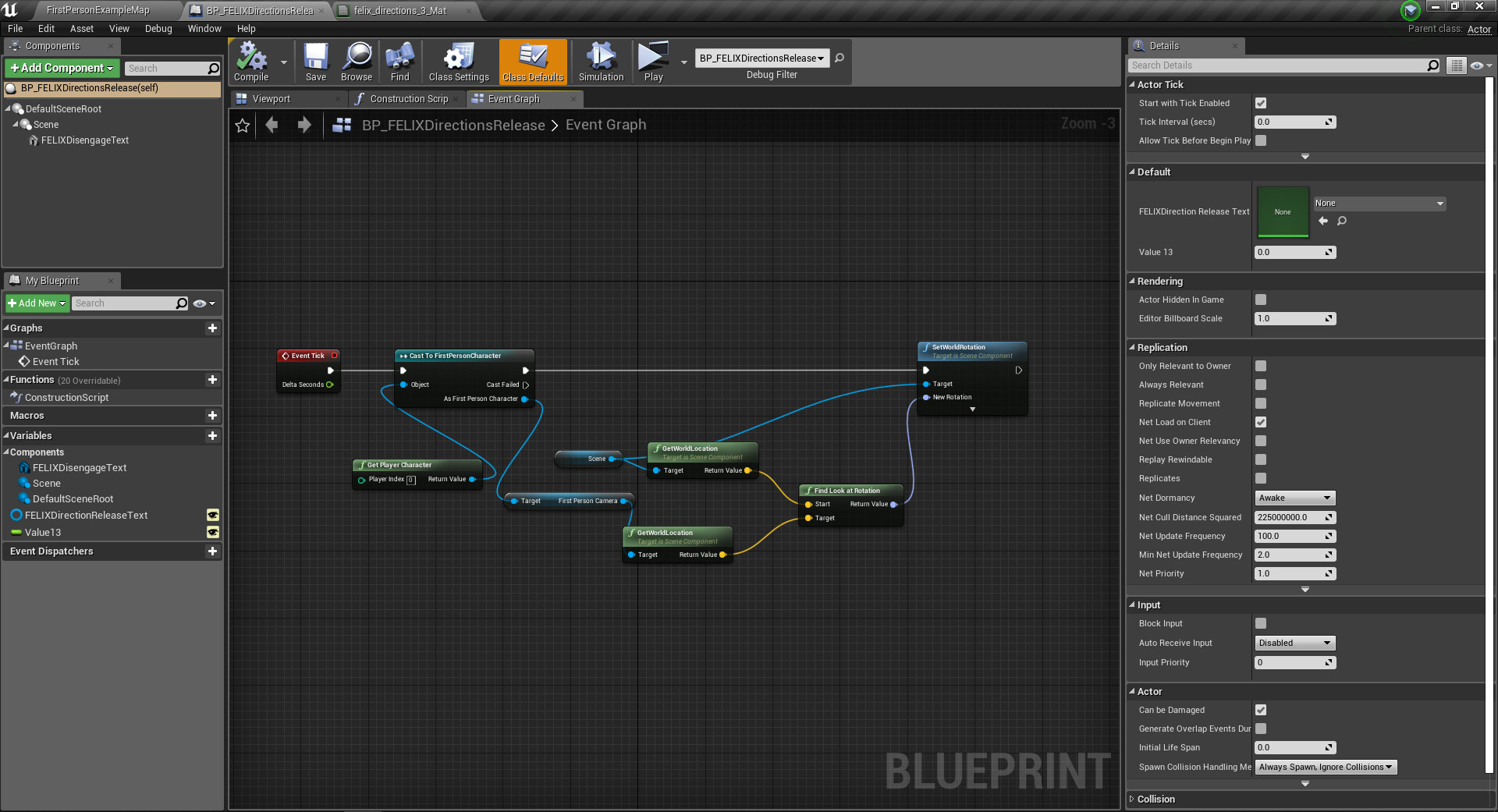
Blueprint Script Editor

Construction Script Editor